반응형
call backs
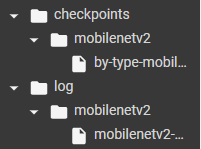
# python으로 dir 만드는 코드

if not os.path.exists(PROJECT_PATH + '/checkpoints/' + model_type + '/') :
  os.makedirs(PROJECT_PATH + '/checkpoints/' + model_type + '/')

if not os.path.exists(PROJECT_PATH + '/log/' + model_type + '/') :
  os.makedirs(PROJECT_PATH + '/log/' + model_type + '/')
from tensorflow.keras.callbacks import ModelCheckpoint

cp = ModelCheckpoint( CHECKPOINT_PATH, monitor = 'val_accuracy', save_best_only = True, verbose = 1 )

# epoch가 끝날때 나오는 정보를, 파일로 저장할때 사용

from tensorflow.keras.callbacks import CSVLogger
csv_logger = CSVLogger( LOGFILE_PATH, append = True )
컴파일과 학습
model.compile( Adam( 0.0001 ), loss = 'categorical_crossentropy', metrics = ['accuracy'] )

# 학습 이미지 증강을 위해서 ImageDataGenerator를 사용
train_datagen = ImageDataGenerator( rotation_range = 20, horizontal_flip = True )
train_generator = train_datagen.flow(X_train, y_train, batch_size = 64)
epoch_history = model.fit(train_generator, epochs = 40, validation_data = (X_val, y_val), callbacks = [cp, csv_logger], steps_per_epoch = 10)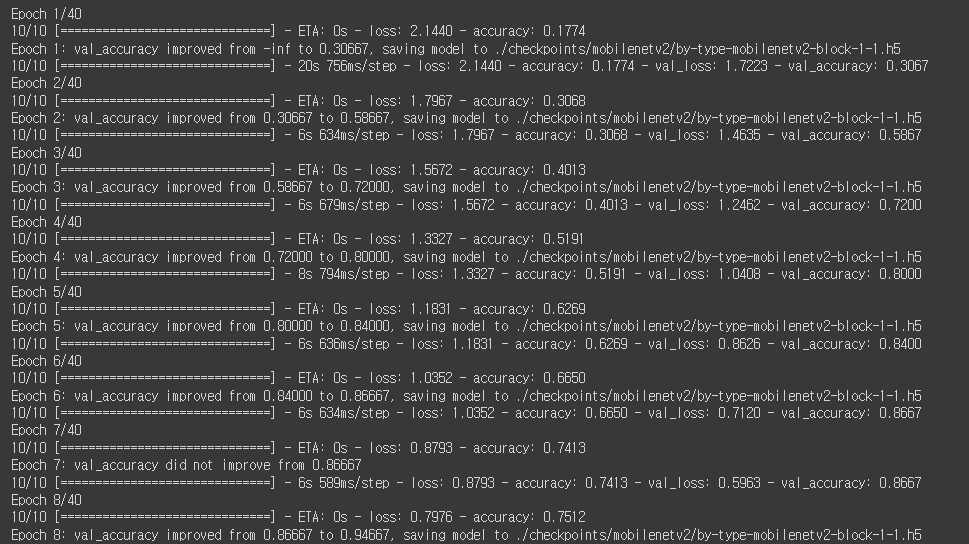
반응형
'Deep Learning > Tensorflow' 카테고리의 다른 글
| Tensorflow - Fine Tuning (0) | 2022.06.16 |
|---|---|
| Tensorflow - Transfer Learning (0) | 2022.06.16 |
| Tensorflow - numpy array로 되어있는 데이터를 증강하는 방법 (0) | 2022.06.16 |
| Tensorflow - 파일을 Traning과 Test 디렉토리로 나눠서 저장하는 방법 (0) | 2022.06.15 |
| Tensorflow - ImageDataGenerator를 이용해서 데이터 증강하는 법 (0) | 2022.06.15 |


