반응형
JWT를 이용해 LOGOUT 기능 만들기
JWT는 다음처럼 blacklist를 이용해서 logout 기능 사용이 가능하다.
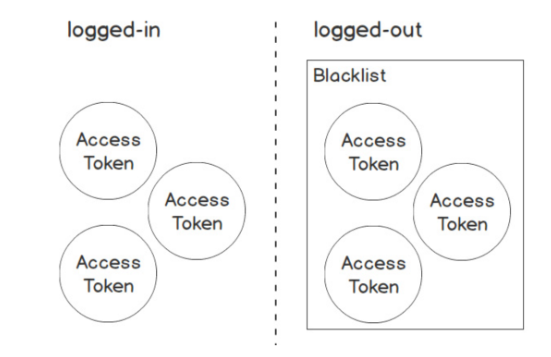
https://flask-jwt-extended.readthedocs.io/en/stable/blocklist_and_token_revoking/
JWT Revoking / Blocklist — flask-jwt-extended 4.4.1 documentation
JWT Revoking / Blocklist JWT revoking is a mechanism for preventing an otherwise valid JWT from accessing your routes while still letting other valid JWTs in. To utilize JWT revoking in this extension, you must defining a callback function via the token_in
flask-jwt-extended.readthedocs.io
# user.py에서 로그아웃 기능을 구현할 클래스를 만든다.

# 로그아웃 기능을 하는 클래스
class UserLogoutResource(Resource) :
    @jwt_required()
    def post(self) :

        jti = get_jwt()['jti']
        print(jti)

        jwt_blacklist.add(jti)

        return {'result' : 'success'}, 200
# app.py 파일에 클래스를 연결시켜 준다.

api.add_resource(UserLogoutResource, '/users/logout')
# jwt_blacklist를 import해준다.

from resources.user import UserLoginResource, UserLogoutResource, UserRegisterResource, jwt_blacklist
# JWTManager 를 변수로 지정한 코드 아래에
# 로그아웃 된 토큰이 들어있는 set을 jwt에 알려준다.


jwt = JWTManager(app)

@jwt.token_in_blocklist_loader
def check_if_otken_is_revoked(jwt_header, jwt_payload) :
    jti = jwt_payload['jti']
    return jti in jwt_blacklist
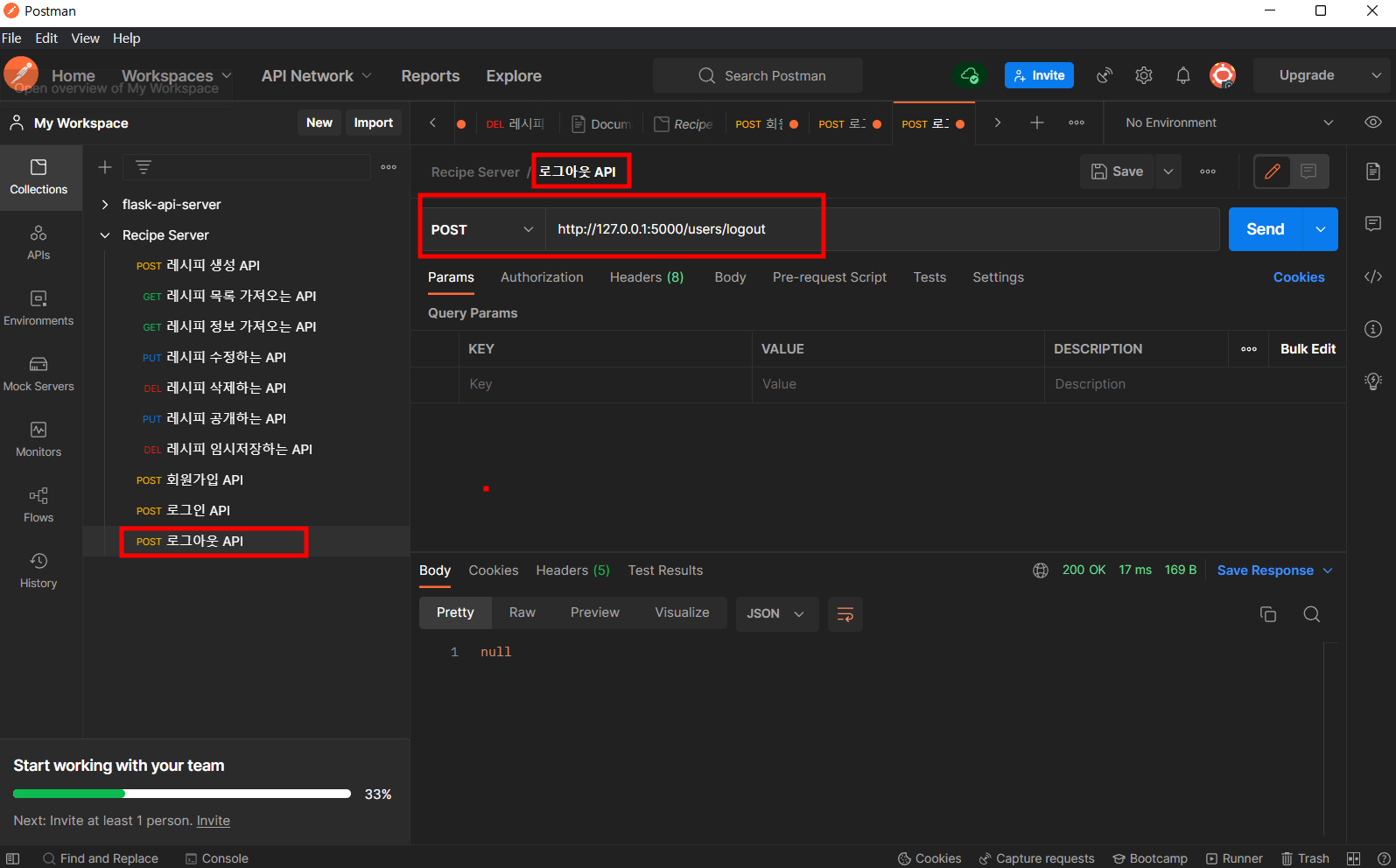
POSTMAN에서 LOGOUT API 생성
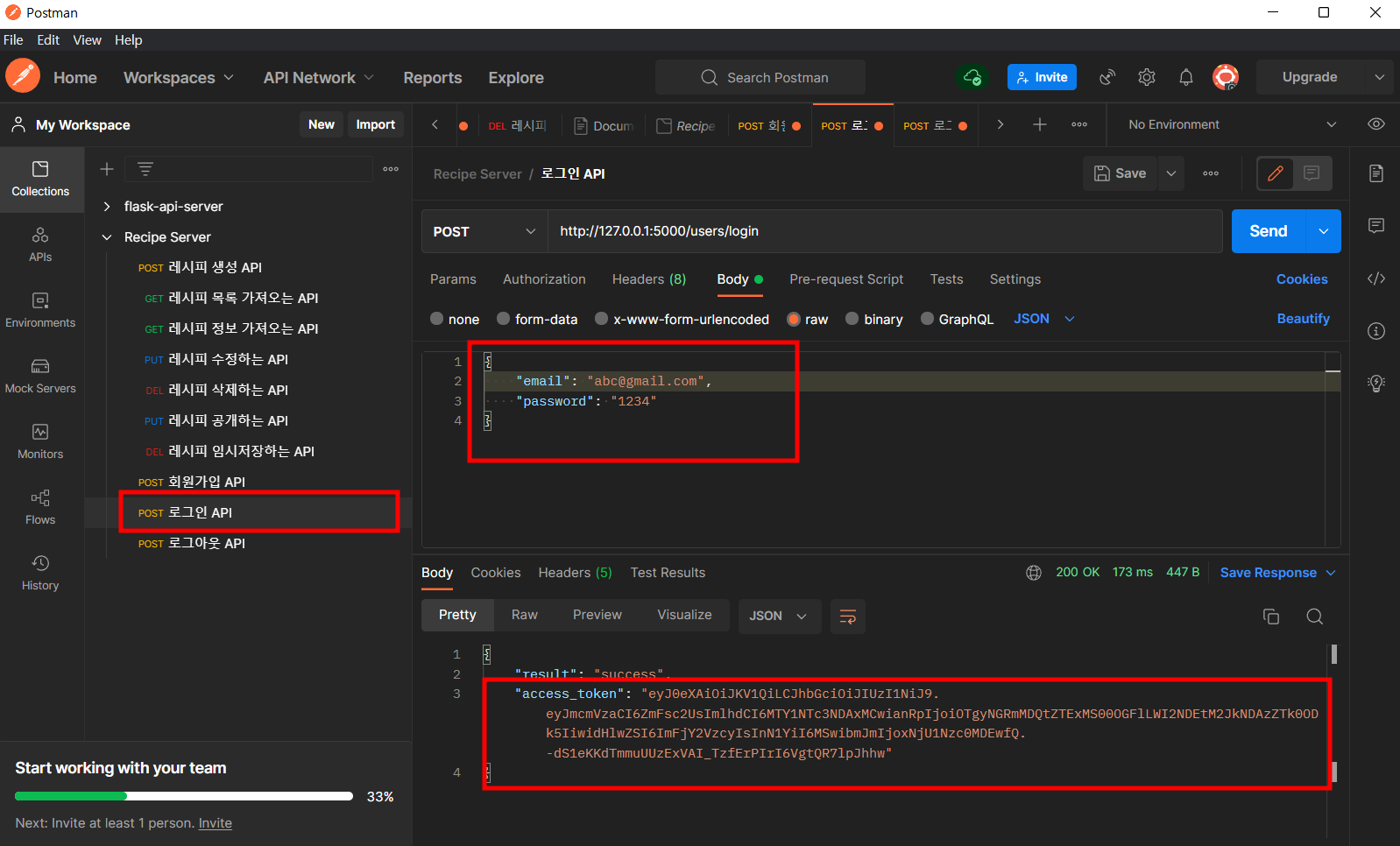
LOGIN API에서 토큰 발행 후 복사
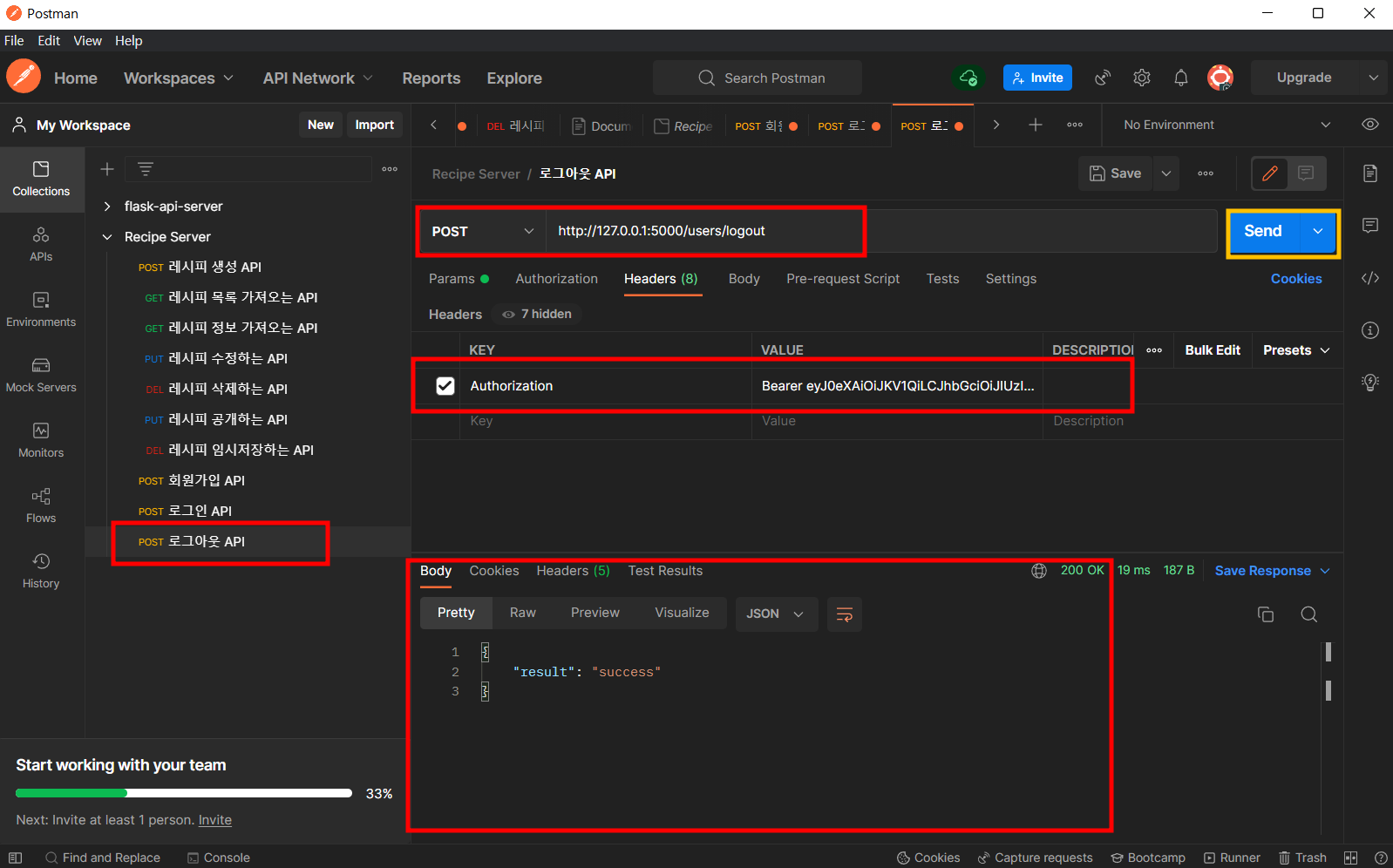
LOGOUT API Headers에 토큰 입력 후 테스트
반응형
'BackEnd' 카테고리의 다른 글
| API - Amazon Rekognition 사용해 이미지 객체식별 API 만들기 (0) | 2022.06.25 |
|---|---|
| API - Python용 AWS Library 인 boto3 library를 이용해 S3 파일 업로드하기 (0) | 2022.06.24 |
| API - email 주소형식이 제대로 된 주소형식인지 확인하는 코드 (0) | 2022.06.20 |
| API - PASSWORD 암호화 설정 방법 (0) | 2022.06.20 |
| API - JWT 유효기간 만료시키는 방법 (0) | 2022.06.20 |


