반응형
Logistic Regression
(이상한 값을 NaN으로 바꾸기)
NaN을 찾아서 예측해야 하는 경우,
NaN을 변경해서 예측해야 하는 경우를 알아보자
import numpy as np
import matplotlib.pyplot as plt
import pandas as pd
df.isna().sum()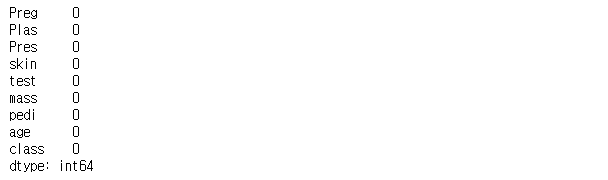
보이는 것처럼 df에는 NaN은 없다고 나온다.
하지만 DF를 자세히보면 NaN 대신 0이라는 숫자가 종종 보인다.
우리는 이것을 NaN으로 판단하고 처리해야 할 필요가 있다.
이를 위해 판다스의 . replace 함수와 np.nan을 이용해 변경하도록 하자
X = df.loc[: , 'Preg' : 'age']
X.loc[ : , 'Plas' : 'mass'] = X.loc[ : , 'Plas' : 'mass'].replace( 0, np.nan)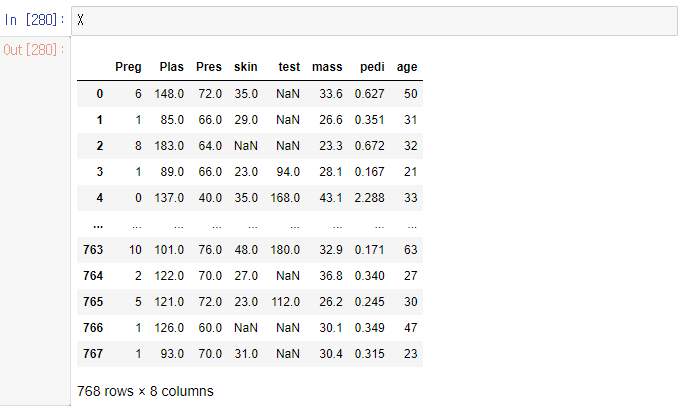
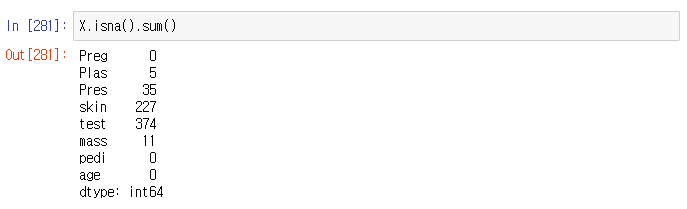
이렇게 NaN은 없지만 0 혹은 '없음' 등등
이런식으로 적혀있는 데이터들을 변경, 또는 제거를 해야
정확한 예측 및 분류알고리즘을 만들 수 있다.
변경
이번엔 찾은 NaN을 각 컬럼의 평균값으로 채워 넣어 보자
X = X.fillna(X.mean())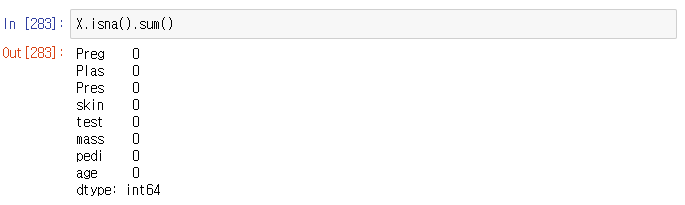
잘 변경되어 NaN을 다시 찾아보면
없다고 표시되는걸 볼 수 있다.
그렇다면 잘 변경되었는지 확인해 보자
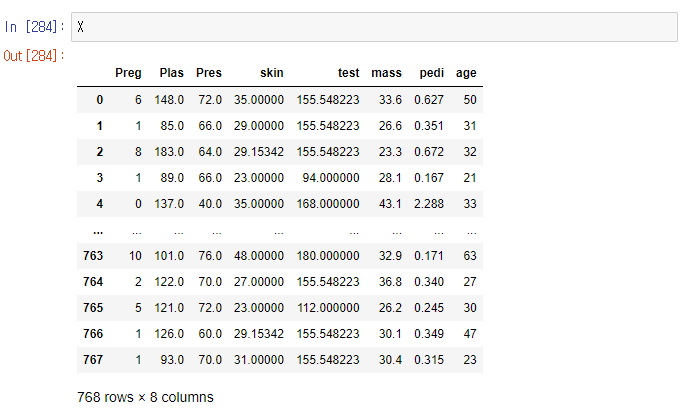
잘 변경된 것을 확인 할 수 있다.
이어서 피처스케일링과 모델링을 한후
학습 및 테스트를 진행 해 보자
y = df['class']
from sklearn.preprocessing import StandardScaler, MinMaxScaler

m_scaler = MinMaxScaler()
X_scaler = m_scaler.fit_transform(X)

from sklearn.model_selection import train_test_split
X_train, X_test, y_train, y_test = train_test_split(X_scaler , y , test_size= 0.2 , random_state= 3)

from sklearn.linear_model import LogisticRegression
classifier = LogisticRegression()
classifier.fit(X_train, y_train)
y_pred = classifier.predict(X_test)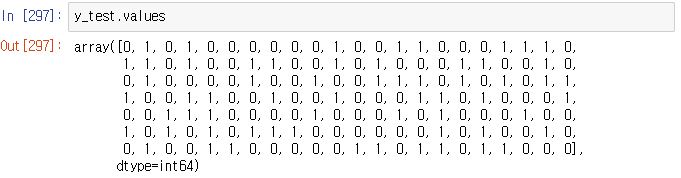
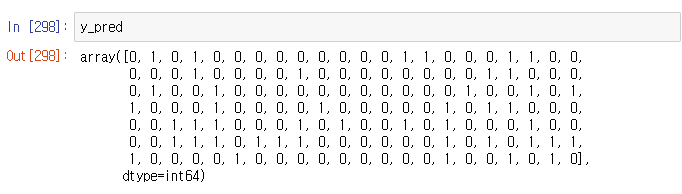
from sklearn.metrics import confusion_matrix
cm = confusion_matrix(y_test, y_pred)
cm
from sklearn.metrics import accuracy_score

accuracy_score(y_test, y_pred)
from sklearn.metrics import classification_report
print(classification_report(y_test, y_pred))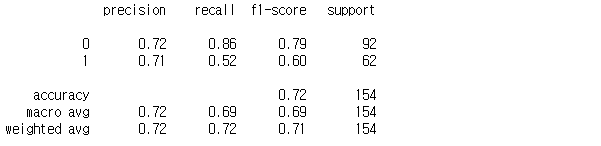
import seaborn as sb
import matplotlib.pyplot as plt

plt.figure(figsize=(10,8))
sb.heatmap(data= cm , cmap = 'RdPu', annot = True, fmt = '.1f', linewidths=0.5)
plt.show()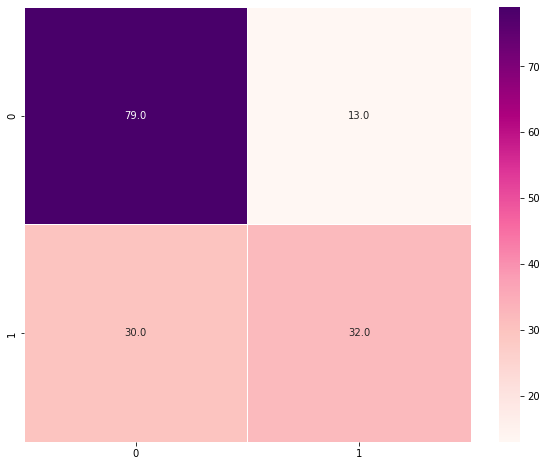
반응형
'Machine Learning' 카테고리의 다른 글
| Machine Learning - Hierarchical Clustering (Dendrogram) (0) | 2022.05.09 |
|---|---|
| Machine Learning - K-Means Clustering (wcss & elbow method) (0) | 2022.05.09 |
| Machine Learning - KNN(K-Nearest Neighbor) (0) | 2022.05.08 |
| Machine Learning - Logistic Regression & Confusion Matrix (0) | 2022.05.07 |
| Machine Learning - New data Predicting [신규 데이터 예측하기( np.array)] (0) | 2022.05.07 |


